

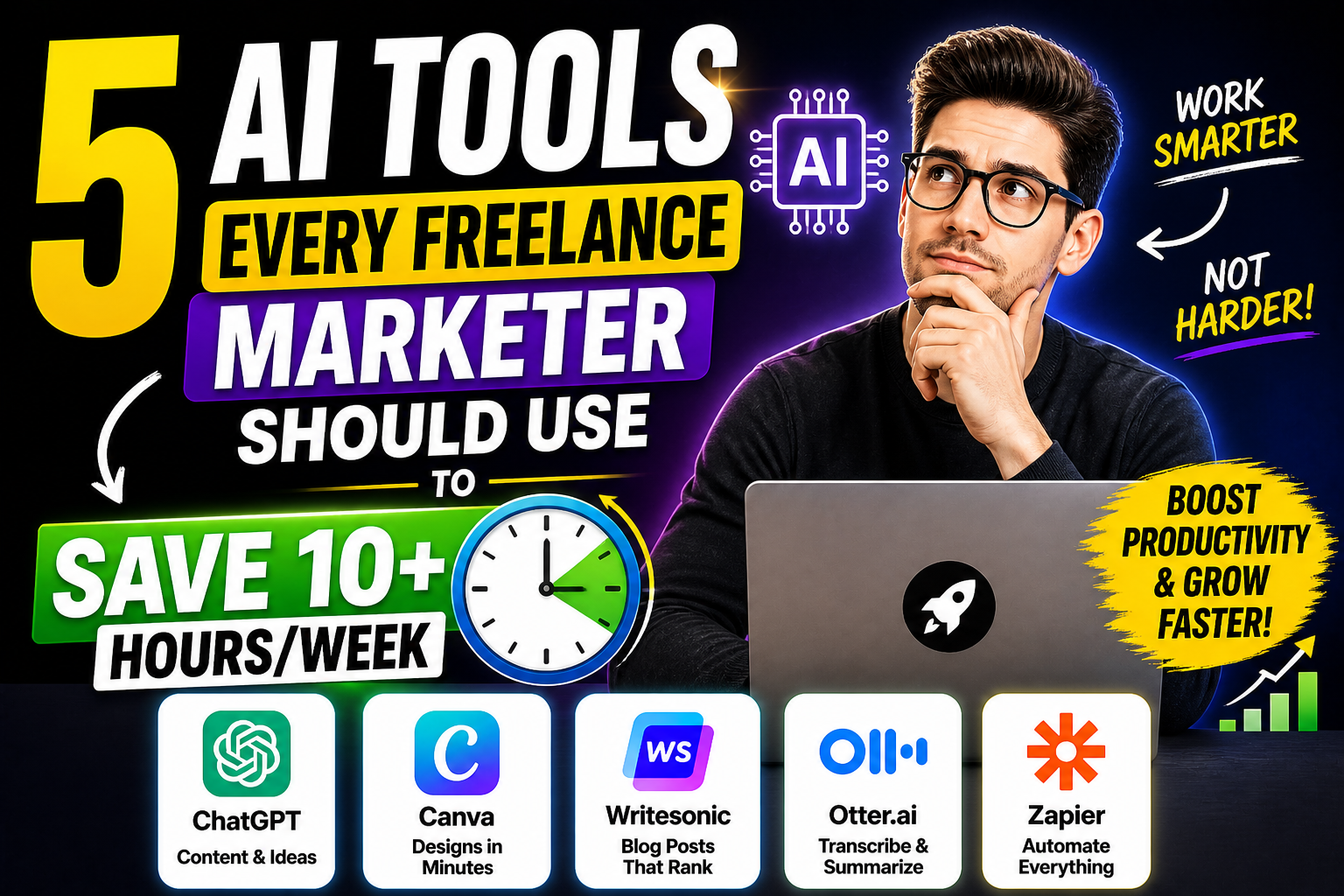
21 May 5 AI Tools Every Freelance Marketer Should Use to Save 10+ Hours/Week
You know the feeling.
Monday morning. You open your laptop. Your to-do list is a mile long. Client emails. Social media posts. Content drafts. SEO research. Proposal writing. Invoicing. By Friday, you’re exhausted. And somehow, you’re still behind.
You’re a freelancer. You trade time for money. Every hour you save is an hour you can bill to a client—or better, an hour you can spend on yourself.
In 2026, AI tools aren’t just for big agencies with big budgets. They’re for solopreneurs like you. They handle the repetitive, time-consuming tasks that eat your day. They let you focus on what actually matters: strategy, creativity, and client relationships.
I’ve tested dozens of tools. Most are nice-to-haves. These five are must-haves. Each one saves me 2-3 hours per week. Together, they save me a full workday. Every week.
Let me show you how.
Tool #1: ChatGPT – Your 24/7 Content Assistant
What it does: Generates content drafts, brainstorms ideas, writes outlines, summarizes research, and answers questions.
Time saved per week: 3-5 hours
ChatGPT is the Swiss Army knife of AI tools. It’s not the best at everything, but it’s good at almost everything. And for a freelancer, that versatility is gold.
How to use it to save time:
Write first drafts. Instead of staring at a blank page, ask ChatGPT for a draft. “Write a 500-word blog post about 5 email marketing tips for beginners.” Edit and personalize. First draft done in 2 minutes instead of 30.
Brainstorm headlines. “Give me 20 headlines for an article about social media timing.” Pick the best 3. Refine. Done.
Summarize research. Copy-paste a long article. Ask: “Summarize this in 5 bullet points.” Read the summary instead of the whole article.
Draft emails. “Write a polite follow-up email to a client who hasn’t paid their invoice.” Personalize with their name and amount. Send.
Repurpose content. Paste your blog post. Ask: “Turn this into 5 LinkedIn posts and 3 Twitter threads.” One piece of content becomes 8.
Pro tip: Save your best prompts in a document. Reuse them. “Blog outline prompt.” “Email follow-up prompt.” “Client proposal prompt.” Templates make you faster.
Cost: Free tier available. ChatGPT Plus: $20/month. Worth every rupee if you use it daily.
Tool #2: ElevenLabs – Your Professional Voiceover Studio
What it does: Converts text into realistic, human-sounding voiceover audio.
Time saved per week: 2-3 hours
You’re a marketer. You need video content. But recording voiceovers takes forever. Setup. Retakes. Editing out mistakes. Background noise. It’s a production.
ElevenLabs eliminates all of that. Type your script. Choose a voice. Generate. Download. Perfect audio in seconds.
How to use it to save time:
Voiceover for client videos. Monthly reports, case studies, explainer videos. Generate professional voiceover without booking studio time.
Social media video voiceovers. Reels, Shorts, TikToks. No microphone needed. No soundproof room needed.
Podcast intros/outros. Create consistent, professional audio branding.
Client proposal voiceovers. Add a personal audio message to your proposals. Stand out.
Multi-language versions. ElevenLabs supports 29+ languages. Create the same voiceover in English, Hindi, Spanish, and French—still sounding like the same person.
Pro tip: Create a custom voice clone. Record 10-30 minutes of your voice. ElevenLabs learns it. Then type anything—it speaks in YOUR voice. Scale your personal brand without recording every time.
Cost: Free tier (10,000 characters/month ≈ 10-15 minutes). Creator: $5/month. Pro: $22/month. Start free. Upgrade when you need volume.
Tool #3: Notion AI – Your Second Brain
What it does: AI-powered writing and organization inside your Notion workspace.
Time saved per week: 2-3 hours
Freelancers juggle multiple clients, multiple projects, and endless notes. Notion is already the best organization tool. Notion AI makes it smarter.
How to use it to save time:
Summarize meeting notes. Record client calls (with permission). Paste transcription into Notion. Ask AI to summarize key points and action items. Done in 30 seconds instead of 15 minutes.
Draft project briefs. “Create a social media content brief for a coffee shop client. Includes goals, audience, content themes, platform focus, and success metrics.” AI populates. You customize.
Brainstorm content calendars. “Generate 20 post ideas for a fitness coach’s Instagram for January. Include hooks and caption starters.” Paste into your calendar template.
Autofill repetitive data. Client names. Project statuses. Due dates. AI can help populate from existing notes.
Repurpose internal notes into client updates. “Turn these project notes into a friendly client update email.” Send. Clients love transparency.
Pro tip: Create templates within Notion. “Client onboarding.” “Monthly report.” “Content calendar.” Add AI buttons to each template. One click generates framework. Fill in details. Done.
Cost: Free tier (limited AI). Plus: $10/month. AI add-on: $8/month. Business: $15/user/month. Start with free + AI add-on if you use Notion daily.
Tool #4: Canva Magic Studio – Your Design Department
What it does: AI-powered design tools inside Canva. Generate templates, edit images, remove backgrounds, write copy.
Time saved per week: 2-3 hours
You’re not a designer. But clients expect visuals. Social media graphics. Presentation slides. Report covers. Proposal designs.
Canva Magic Studio makes you look like a designer—without design training.
How to use it to save time:
Magic Design – Generate templates. “Modern LinkedIn banner for a marketing consultant.” Canva generates 10 options. Pick one. Customize text. Done in 2 minutes.
Magic Edit – Remove objects. Unwanted element in a screenshot? Paint over it. AI removes it. Fill with matching background.
Magic Expand – Extend images. Image too small for your layout? Click expand. AI fills in the missing edges.
Background remover – One click. Product photo. Client headshot. Remove background instantly. No Photoshop.
Magic Write – Captions inside design. Generate captions directly in your graphic. No switching tabs.
Brand kit – Automatic brand application. Upload client logos, colors, fonts. Canva applies them to every design. Consistent branding without thinking.
Pro tip: Create template libraries for each client. A “client folder” with their brand kit, go-to templates (social posts, reports, proposals). Each new project starts from template. Not from scratch.
Cost: Free tier available. Canva Pro: $12.99/month (includes all Magic Studio features). Teams: $15/user/month.
Tool #5: Zapier AI – Your Automation Assistant
What it does: Connects your apps and automates repetitive tasks. AI can now help build the automations.
Time saved per week: 2-4 hours (once set up, saves time every week thereafter)
Zapier is the glue between your tools. It makes them talk to each other. So you don’t have to manually copy-paste data between them.
How to use it to save time:
New client → Add to CRM. When a new client fills your contact form, Zapier adds them to your CRM (HubSpot, Pipedrive, or even Google Sheets). Automatically.
Calendar booking → Create task. When a client books a call via Calendly, Zapier creates a task in your project management tool (Asana, Trello, ClickUp).
Invoice paid → Send thank you. When an invoice is paid in Stripe, Zapier sends a personalized thank you email.
New YouTube video → Post everywhere. Upload a video on YouTube. Zapier automatically posts links to Twitter, LinkedIn, Facebook. No manual sharing.
Form submission → ChatGPT summarise. Client submits a brief via Google Form. Zapier sends to ChatGPT. ChatGPT summarizes key points. Sends summary to your email. You never read the long form again.
Gmail attachment → Save to Google Drive. Receiving invoice attachments? Zapier saves them to Drive. No manual download-save-organize.
Pro tip: Start with one automation that solves your biggest annoyance. “What manual task do I hate doing every week?” Automate that first. Then add more. Don’t try to automate everything at once.
Cost: Free tier (100 tasks/month). Starter: $19.99/month (750 tasks). Professional: $49/month (2,000 tasks). Start free. Upgrade when you hit limits.
Quick Reference: 5 Tools at a Glance
| Tool | Best For | Time Saved/Week | Free Tier | Paid From | |——|———-|——————|———–|———–| | ChatGPT | Content drafts, ideas, research | 3-5 hours | Yes | $20/mo | | ElevenLabs | Realistic voiceover | 2-3 hours | Yes (limited) | $5/mo | | Notion AI | Organization & summarization | 2-3 hours | Limited | $8/mo (add-on) | | Canva Magic Studio | Design (no skills needed) | 2-3 hours | Yes | $13/mo | | Zapier AI | Workflow automation | 2-4 hours | Yes (100 tasks) | $20/mo |
How These 5 Tools Save You a Full Workday
Let me show you how this adds up across a typical freelance week.
Monday AM: Content creation – ChatGPT writes blog draft (saves 1.5 hours). Canva designs social graphics (saves 1 hour). ElevenLabs creates voiceover for video (saves 1 hour). Total saved: 3.5 hours.
Tuesday: Client work – Notion AI summarizes meeting notes (saves 30 mins). ChatGPT drafts client email responses (saves 30 mins). Total saved: 1 hour.
Wednesday: Proposals & admin – ChatGPT outlines proposal (saves 1 hour). Canva creates proposal design from template (saves 1 hour). ElevenLabs adds audio summary (saves 30 mins). Total saved: 2.5 hours.
Thursday: Reporting – Notion AI turns notes into report (saves 1 hour). Canva formats report (saves 1 hour). Total saved: 2 hours.
Friday: Automation & cleanup – Zapier automations run in background (saves 2 hours of manual data entry). Total saved: 2 hours.
Weekly total saved: 11 hours. That’s more than a full workday. Every week.
11 hours × 50 working weeks = 550 hours per year. That’s 68 extra 8-hour workdays. You could take 2 months off—or bill 68 more days of client work.
The math is simple. The tools work. The only question is: will you use them?
How to Start (Without Overwhelm)
You don’t need all 5 tools tomorrow. Start with one. Master it. Add another.
Week 1-2: Start with ChatGPT. Use it for one task daily. Emails. Outlines. Brainstorming. Get comfortable with prompts.
Week 3-4: Add Canva. Next time you need a graphic, use Magic Studio. Don’t open Photoshop. Don’t hire a designer. Just Canva.
Week 5-6: Add ElevenLabs. Next video project, use AI voiceover instead of recording yourself. Hear the difference. Feel the time save.
Week 7-8: Add Notion AI. Move your notes, tasks, and projects into Notion. Use AI to summarize and organize.
Week 9-10: Add Zapier. Identify one frustrating manual task. Automate it. Watch it run. Smile.
Within 10 weeks, you’ll have a full AI toolkit. And you’ll never go back.
Common Questions About Using AI as a Freelancer
“Will AI replace me?” No. AI replaces tasks. Your clients hire you for strategy, judgment, relationships, and creativity. AI amplifies you. It doesn’t replace you.
“Is it ethical to use AI for client work?” Yes, with transparency. If you use AI to write a blog post, edit it. Add your expertise. Your client pays for your value, not your typing speed.
“Do I need to tell clients I use AI?” Not unless they ask. But transparency builds trust. “I use AI to draft initial concepts, then refine with my expertise.” Most clients won’t mind. They care about results.
“Aren’t these tools expensive?” ChatGPT free. Canva free. ElevenLabs free tier. Notion free tier. Zapier free tier. Start free. Upgrade only when you need more volume. The time saved is worth the paid tiers.
“What if I’m not technical?” These tools are designed for non-technical users. No coding. No complex setups. If you can type, you can use them.
Conclusion: Your 11-Hour Gift
Every week, you have 168 hours. Sleep takes 56. Work takes 40-50. The rest is life: family, friends, exercise, rest.
AI tools don’t just save time. They give you back your life. 11 hours per week is 11 hours you can spend with your family. On your health. On hobbies. On rest. Or on more billable work—your choice.
You don’t need to be a tech genius. You don’t need a big budget. You need to start. Pick one tool from this list. Use it today. Feel the difference. Add another next week.
Your time is your most valuable asset as a freelancer. Don’t waste it on tasks AI can do.
Start saving hours today.
Frequently Asked Questions (FAQs)
1. Which AI tool saves the most time for freelancers?
ChatGPT saves the most time because it’s versatile. One tool handles writing, brainstorming, research, email drafting, and content repurposing. Most freelancers can save 3-5 hours/week just with ChatGPT. Start there.
2. Are free versions of these tools enough for a freelancer?
For most freelancers starting out, yes. ChatGPT free, Canva free, ElevenLabs free tier (10,000 characters/month ≈ 10-15 minutes of audio), Notion free, Zapier free (100 tasks/month). Only upgrade when you consistently hit limits. Many freelancers never need paid versions.
3. Can I use AI-generated content for client work?
Yes, with editing and personalization. Never deliver raw AI output. Always add your expertise, examples, and voice. Clients pay for your strategic value, not raw generation. AI drafts + human refinement = quality work.
4. How do I learn to use these tools effectively?
Start with the tool’s own tutorials (most have them). Watch YouTube “getting started” guides. Experiment. The best way to learn is by doing. Open the tool. Try a task. See what happens. Adjust. Iterate.
5. What’s the one tool I should learn first?
ChatGPT. It’s free, versatile, and teaches you how to interact with AI. Once you’re comfortable with prompts, other AI tools (ElevenLabs, Canva AI, Notion AI) will feel familiar. Master ChatGPT first. Everything else follows.
No Comments