

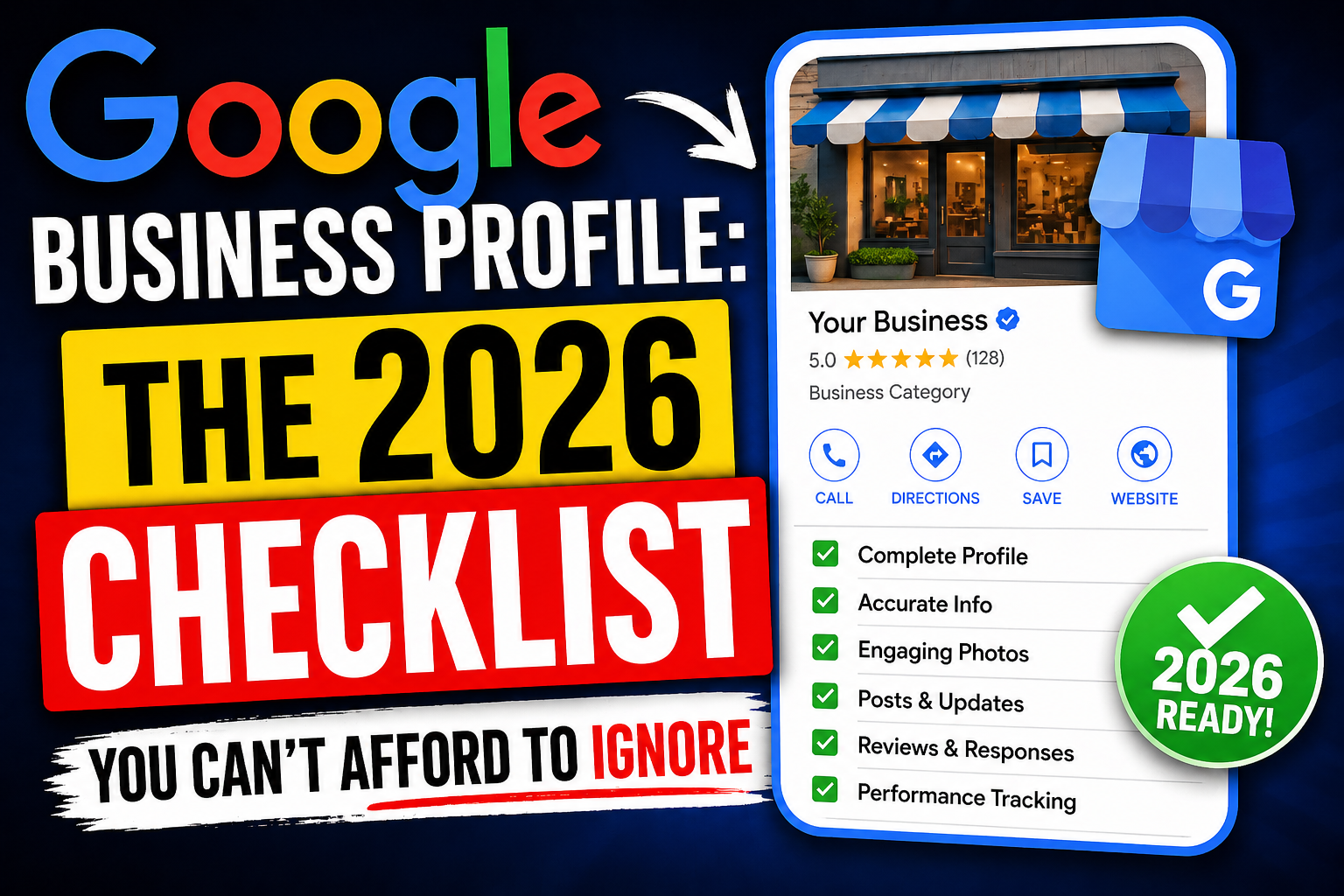
30 Apr Google Business Profile: The 2026 Checklist You Can’t Afford to Ignore
You have a Google Business Profile. You set it up years ago. Maybe you added a photo. Maybe you check it occasionally. You assume it’s fine.
It’s not.
Google changes constantly. New features appear. Old features matter more. Competitors are optimizing while you’re ignoring. And every day you neglect your GBP, you’re handing customers to the business who shows up in the top 3.
In 2026, your Google Business Profile isn’t just a listing. It’s your most important local marketing asset. It’s your digital storefront. It’s what customers see before they decide to call, visit, or buy.
This checklist covers everything you need to optimize your GBP in 2026. Complete every item. Your ranking will improve. Your phone will ring more. Your customers will find you.
Let’s get to work.
Section 1: Basic Information (The Foundation)
These are non-negotiable. If any of these are missing or incorrect, fix them immediately.
☐ Business Name – Exact real-world name
Use your legal business name. Not keywords. Not “Best Pizza Delhi – John’s Pizzeria.” Your real name. Google prohibits keyword stuffing in business names and may suspend your profile. If your real name includes location or service words naturally, that’s fine. Don’t add them artificially.
☐ Address – Accurate and complete
Enter your exact physical address. Use the same format as your website, invoices, and all directories. Consistency matters. Don’t use fake or virtual addresses. Google verifies.
If you’re a service-area business (plumber, cleaner, mobile service) with no physical storefront, hide your address and set your service area radius. Do this correctly—it affects ranking.
☐ Phone Number – Local number preferred
Use a local number with your area code. Toll-free numbers are fine as secondary numbers. Ensure the number is answered during business hours. Answered calls = positive signal to Google.
☐ Website URL – Working and relevant
Link to your website. Ensure the page is mobile-friendly, fast-loading, and clearly shows your business information. Don’t link to social media profiles or third-party sites.
☐ Primary Category – Most accurate choice
This is critical. Choose the single most accurate category for your business. Not “Restaurant” if you’re “Pizza Restaurant.” Not “Beauty Salon” if you’re “Nail Salon.” Specificity helps Google match you to relevant searches. One primary category only.
☐ Secondary Categories – Add up to 9
Add relevant secondary categories that describe additional services. A bakery might add: Cake Shop, Coffee Shop, Dessert Shop, Wedding Cake Shop. Cover how customers search for you, but don’t add irrelevant categories.
☐ Business Description – 750 characters of value
Write a compelling description. What do you do? What makes you unique? What areas do you serve? Use keywords naturally. Write for humans first, Google second.
☐ Opening Hours – Including special hours
Enter regular hours accurately. Update special hours for holidays. Nothing frustrates customers more than showing up to a closed business. Special hours are visible in search results—customers appreciate accuracy.
☐ Attributes – Every relevant attribute checked
Attributes are specific features: Women-led, LGBTQ+ friendly, wheelchair accessible, outdoor seating, free parking, Wi-Fi, etc. Check every attribute that applies. More attributes = more signals for Google = better matches for searchers.
Section 2: Visual Content (The Attention-Grabbers)
Profiles with photos get more engagement. Engagement signals Google that customers care about your business.
☐ Profile Photo (Logo)
Your logo or a clear photo of your storefront. Minimum 250×250 pixels. Professional, recognizable.
☐ Cover Photo
Hero image showcasing your business. Restaurant: your best dish. Salon: a beautiful makeover. Clinic: clean, professional space.
☐ 20+ Photos of Your Business
Add at least 20 photos. Types to include:
- Exterior (so customers can find you)
- Interior (ambiance, seating, waiting area)
- Products (dishes, items, services in progress)
- Team photos (humanize your brand)
- Work in progress (services being delivered)
- Events (community involvement)
☐ Videos (3-5 short clips)
Add 30-60 second videos. Tour your space. Show product creation. Introduce your team. Google favors multimedia-rich profiles. Use your phone—quality content > production value.
☐ Geo-tagged Photos
Photos taken at your location as you add them help Google verify you’re legit. Take photos on your phone at your actual location and upload directly through the GBP app. Google can read location data.
☐ Encourage Customer Photos
Customer-generated photos are authentic social proof. Ask customers to share photos. Engage with them. Customer photos also count as content on your profile.
Section 3: Reviews and Reputation (The Trust Signals)
Reviews are the most powerful ranking factor after relevance and distance.
☐ Review Response Policy – Respond to every review
Respond to every review—positive and negative. 5-star? Thank them. 4-star? Thank and ask how to improve. 1-3 star? Apologize, empathize, take offline. Google notices responsiveness. Customers notice too.
☐ Recent Reviews (Last 3 months)
How many reviews in the last 90 days? Recency matters. 20 recent reviews > 100 old reviews. Set up a system to consistently ask happy customers for reviews.
☐ Review Replies – Within 24 hours ideal
Respond quickly. Within 24 hours is ideal. Within 48 hours is acceptable. Within a week? Too slow.
☐ Review Generation System
Do you have a process to get reviews? Direct link? QR code? Email follow-up? Text follow-up? Train staff to ask at the right moment. Create a system, not just hopes.
☐ Negative Review Handling Protocol
Do you know how to respond when a negative review appears? Don’t panic. Don’t argue. Apologize. Empathize. Take offline. Solve the problem. Learn from it.
☐ Reviewer Engagement – Like or comment
Heart/Thumbs up positive reviews. Engages the customer. Shows you’re active.
Section 4: Google Posts (The Freshness Factor)
Google Posts keep your profile active and give customers reasons to click.
☐ Weekly Posts – At minimum
Post at least once per week. Daily is better. Posts expire after 7 days, so consistent posting keeps your profile fresh. Active profiles signal engagement to Google.
☐ Types of Posts – Mix it up
What to post: Special offers, new products, upcoming events, blog posts, behind-the-scenes, holiday hours, customer testimonials. Variety keeps your profile interesting.
☐ Images in Posts – Always include
Posts with images get 2-3x more engagement. Add a relevant photo or video with every post.
☐ Call-to-Action Buttons – Use them
Choose the right button: Learn More, Call Now, Sign Up, Order Online, Book, Buy. Each post can have one CTA. Use it.
☐ Offer Posts – Limited time
Create urgency with genuine limited-time offers. “20% off this week only.” “Free dessert with ₹500 purchase through Sunday.” Honest urgency drives action.
☐ Event Posts – Upcoming events
If you host events, create event posts. Customers can RSVP directly on Google. Event reminders drive attendance.
Section 5: Products and Services (The Details)
Google allows you to list exactly what you sell or offer.
☐ Service List – Every service you offer
List every service. Be specific. “Root canal treatment” not just “Dentist.” “Butter chicken” not just “Indian food.” Specific services match specific searches.
Add description and price for each service where possible.
☐ Product Catalog (If applicable)
For retail, restaurants, and e-commerce: add your product catalog. Include images, prices, and descriptions. Customers can browse products directly in search results.
☐ Menu (For restaurants)
Upload your menu as a PDF or link to your online menu. Customers expect to see menu before visiting. Make it easy.
☐ Service Area (For SABs)
If you’re a service-area business, set your service radius accurately. Don’t overclaim—Google may penalize unrealistic areas. Set based on where you actually serve.
Section 6: Messaging and Communication (The Conversion Tools)
Enable features that let customers reach you directly.
☐ Messaging – Turned on
Enable Google Messages. Customers can message you directly from search results. Respond quickly—fast responses improve ranking.
☐ Quick Replies – Set up for common questions
Create quick replies for frequent questions: “What are your hours?” “Where are you located?” “Do you offer [service]?” Saves time and ensures consistent answers.
☐ Chat Support Hours – Set realistic expectations
Set hours when you’ll respond. If you’re only available 9-6, set those hours. Customers appreciate knowing when to expect replies.
☐ Appointment Links – If applicable
If you take appointments, add a booking link. Integrate with your scheduling tool (Calendly, Fresha, Booksy, etc.). Customers can book without leaving Google.
☐ Q&A Section – Monitor and answer
Customers can ask questions on your profile. Check regularly. Answer every question thoroughly. Unanswered questions look bad. Also add your own FAQ answers to preempt common questions.
Section 7: Advanced Optimization (The Competitive Edge)
These steps separate you from competitors doing the basics.
☐ Short Name – Create a custom URL
Create a short name for your business. g.page/yourbusinessname. Easier to share. Looks professional.
☐ Booking Button – Enable if applicable
Google integrates with many booking partners. Enable direct booking from search results.
☐ Food Ordering (Restaurants)
Link your ordering partners (Zomato, Swiggy, etc.). Customers can order directly from search results.
☐ Health Appointment Integration (Clinics)
If you’re a healthcare provider, integrate with Health Appointment partner
☐ Attributes Audit – Re-check annually
Google adds new attributes periodically. Review your attributes quarterly. Add any new ones that apply.
☐ Competitor Analysis – Monthly
Check competitors’ profiles monthly. What categories are they using? What attributes? What are their reviews saying? Learn from them. Out-optimize them.
☐ Insights Review – Weekly
Open GBP Insights weekly. Track: how customers search for you (search terms), where they find you (direct vs discovery), how they take action (calls, direction requests, website clicks), photo performance (which photos get views)
Use insights to improve. More calls than direction requests? Your location might be hard to find. More direction requests than calls? Your offer might be unclear. Adjust accordingly.
Section 8: The 2026 Special Focus Areas
These have become more important recently.
☐ AI Overview Optimization
Google’s AI overviews pull from GBP data. Complete profiles with rich details are more likely to be featured. Fill everything.
☐ Video Priority
Google now prioritizes profiles with video. Add at least 3 videos. Short (30-60 seconds). Authentic, not overproduced.
☐ Review Recency Emphasis
Recent reviews matter more than ever. A consistent stream of new reviews (5-10 per month) outranks a profile with 100 old reviews.
☐ Service Lists vs Categories
Services list is now nearly as important as categories. Fill your service list completely. Be specific. Include keywords customers search for.
☐ Response Time Signals
Google tracks how quickly you respond to review questions and messages. Fast responses = engaged business = potential ranking boost. Respond within hours, not days.
☐ Local Business Attributes
Attributes specific to India: “UPI payments accepted,” “Home delivery,” “Free parking,” “Women-led.” Check these if they apply.
Your 7-Day GBP Optimization Plan
Don’t try to do everything at once. Here’s a realistic schedule.
Day 1: Basics Audit – Verify business name, address, phone, website, categories. Fix any errors.
Day 2: Visuals – Add logo, cover photo, 20+ real photos, 3+ videos.
Day 3: Services & Products – Add complete service list. Add product catalog if applicable.
Day 4: Reviews – Respond to all existing reviews. Set up review generation system.
Day 5: Posts & Messaging – Enable messaging. Set quick replies. Create first weekly post.
Day 6: Attributes & Advanced – Check all attributes. Create short name. Add booking/ordering links.
Day 7: Analytics & Scheduled – Review Insights. Set calendar for weekly review, weekly posting, monthly competitor check.
After 7 days, you’re ahead of 90% of local businesses. Maintain weekly. Grow monthly. Dominate.
Tools to Help You Manage Your GBP
You don’t need expensive tools. Start with free options.
Google Business Profile App: Free. Manage everything from your phone. Essential.
Google Maps App: Free. See how your profile appears to customers.
Google Search Console: Free. Track how your website supports local SEO.
Review Management Tools: Paid (BrightLocal, Reputation, Birdeye) for agencies. Start free with manual responses.
Post Scheduling Tools: Some social tools (Buffer, Hootsuite) now support GBP posts. Or just post manually weekly.
Start with the free Google tools. Add paid tools when you scale to multiple locations.
Common GBP Mistakes in 2026
Learn from others’ errors.
Mistake 1: Keyword stuffing business name. “Best Plumber Delhi – Raj Plumbing.” Suspension risk. Don’t. Use your real name.
Mistake 2: Inconsistent NAP. Different address on website vs GBP. Different phone number on Yelp. Confuses Google. Hurts ranking. Consistent NAP everywhere.
Mistake 3: No review responses. Unanswered reviews signal you don’t care. Respond to every review.
Mistake 4: Inactive profile. No photos for months. No posts. No Q&A answers. Google sees inactivity. Update weekly.
Mistake 5: Wrong categories. Choosing broad categories instead of specific ones. “Restaurant” instead of “Pizza Restaurant.” Specificity wins.
Mistake 6: Incomplete service list. Only 2-3 services listed when you offer 15+. Fill the list completely.
Mistake 7: Ignoring Insights. Data is available. You ignore it. Review Insights weekly. Improve based on data.
Mistake 8: Not responding to Q&A. Customers ask questions. No answers. Looks abandoned. Check Q&A weekly. Answer everything.
Conclusion: Your GBP Is Your Digital Storefront
Your Google Business Profile isn’t a “set it and forget it” tool. It’s a living, active asset. Weekly attention compounds over time.
Complete this checklist once. Then maintain it weekly. Add photos. Respond to reviews. Post updates. Answer questions. Monitor Insights.
In 2026, the businesses that win local search are the ones that take GBP seriously. Not the ones with the most budget. The ones with the most complete, active, engaged profiles.
That can be you. Start with one item on this list today. Then another tomorrow. In a week, you’re ahead of competitors. In a month, you’re dominating.
Your customers are searching for you right now. Make sure they find you.
Frequently Asked Questions (FAQs)
1. How often should I post on Google Business Profile?
Weekly minimum. Daily is better for competitive industries. Posts expire after 7 days, so consistent posting keeps your profile fresh. Even simple “We’re open!” posts with a photo help.
2. Does replying to reviews help my ranking?
Indirectly. Replying to reviews shows Google your business is active and engaged. Engaged businesses may rank better. More directly, positive reviews (especially recent ones) are a ranking factor. Replying encourages more reviews.
3. How many photos does my GBP need?
At least 20. 50+ is better. Profiles with photos get more engagement. Engagement signals Google that customers care about your business. Engagement leads to better ranking.
4. Can I manage my GBP from my phone?
Yes. The Google Business Profile app (iOS and Android) lets you manage everything: update hours, post photos, respond to reviews, reply to messages, view insights. Most business owners find the mobile app easier than desktop.
5. What’s the most important ranking factor for GBP in 2026?
Relevance (categories, services, attributes), Distance (customer’s location to your business), and Prominence (reviews, citations, links, engagement). Reviews are the most actionable factor. Recent, relevant, keyword-rich reviews are gold.
No Comments