

21 Feb A Practical Beginner’s Walkthrough to Mastering Meta Ads Manager in 2026
If Meta advertising feels confusing at first glance, you’re not alone. Many beginners open the Ads Manager dashboard and instantly feel overwhelmed. Multiple tabs, technical settings, performance metrics — it can seem like too much.
But here’s the truth: you don’t need advanced marketing degrees to run successful Meta ads. What you need is structure, clarity, and a proper understanding of how the platform works.
With billions of active users across Facebook and Instagram, Meta remains one of the most powerful advertising ecosystems in the world. Learning how to use Ads Manager properly can unlock serious growth potential for businesses of all sizes.
Let’s break everything down step by step.
Understanding Meta Ads Manager
Meta Ads Manager is the centralized control panel used to create, manage, and evaluate advertisements across Meta’s platforms, including Facebook and Instagram.
Previously known as Facebook Ads Manager, the platform retained its full capabilities after Meta’s rebranding. It remains the primary tool businesses use to:
- Launch advertising campaigns
- Build and refine audience targeting
- Allocate and control budgets
- Monitor campaign performance
- Compare ad variations
- Generate detailed reports
Whether you are a solo entrepreneur or managing campaigns for enterprise brands, the platform is built to scale according to your needs.
Core Capabilities of Meta Ads Manager
The Ads Manager is powerful because it combines creative flexibility, audience precision, and advanced reporting tools in one system.
Ad Formats and Creative Options
Meta allows advertisers to choose from various ad formats depending on campaign goals. These include single image ads, carousel ads featuring multiple images or videos, short-form and long-form video ads, immersive story ads, and product-focused collection ads.
The format you choose should align with your objective. For example, video ads often perform well for awareness campaigns, while carousel ads are effective for showcasing multiple products.
The strength of the platform lies in how it links your creative choices directly to measurable outcomes.
Advanced Audience Targeting
One of Meta’s strongest advantages is audience control.
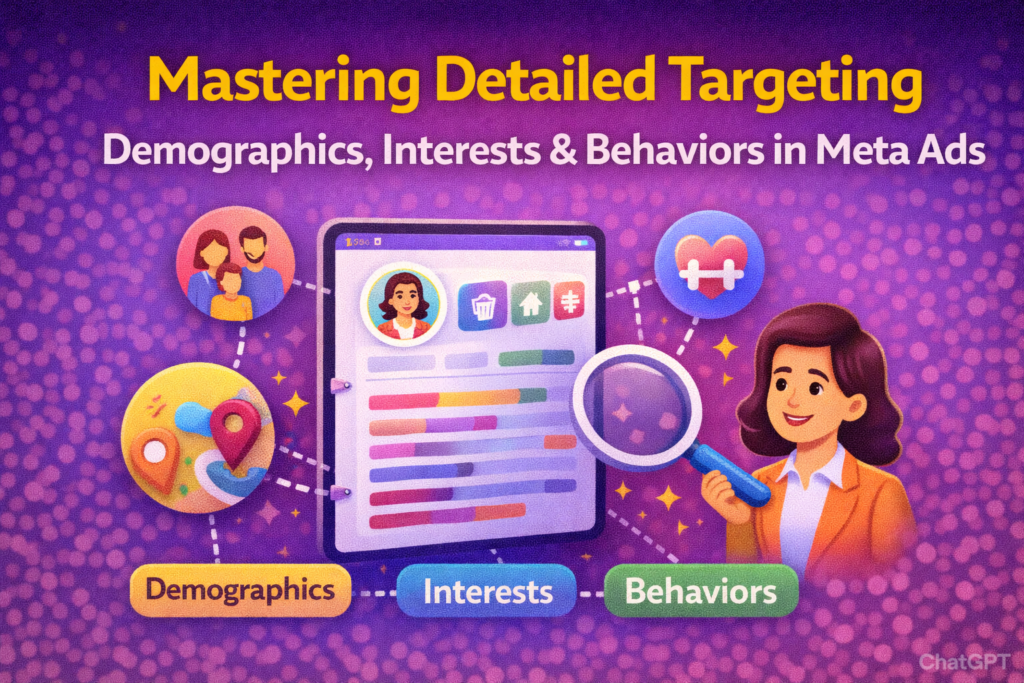
You can create highly defined audiences using demographics, interests, and behaviors. You can also upload customer lists to build custom audiences or create lookalike audiences to reach users similar to your existing customers.
Alternatively, you can allow Meta’s algorithm to operate with broader targeting and let its AI system identify potential buyers based on behavioral patterns. This approach, especially with Advantage+ tools, has become increasingly effective in recent years.
The balance between manual targeting and algorithm-driven expansion is where strategy plays a critical role.
Performance Measurement and Reporting
Advertising without measurement is simply guessing. Meta Ads Manager provides detailed analytics to help advertisers evaluate campaign performance.
Key performance indicators typically include reach, impressions, engagement, cost per result, conversion rates, and return on ad spend (ROAS).
The reporting dashboard allows customization so you can view the metrics that matter most to your business goals. A consistent review process ensures campaigns are optimized rather than left unattended.
Data-driven optimization separates successful advertisers from average ones.
Requirements Before Setting Up Ads Manager
Before launching campaigns, certain essentials must be in place.
First, you must have an active Facebook Page. This acts as the identity behind your advertisements and gives users a place to explore your brand.
Second, you need a Meta Business Manager account. This is where you control business assets, assign roles to team members, and manage ad accounts securely.
Lastly, you must add a valid payment method. Without this, campaigns cannot run.
Proper setup ensures long-term stability and avoids administrative complications later.
Setting Up Your Meta Ads Environment
Once prerequisites are complete, you can access Ads Manager through Meta Business Suite or directly through the ads management portal.
If you are creating an ad account for the first time, you will need to input details such as time zone, currency, and account ownership type. Accuracy is important here, as some settings cannot be changed later.
You will also need to create asset groups to organize business assets like Facebook Pages, Instagram accounts, ad accounts, and other connected tools.
Before launching ads, it is important to configure:
- Account controls and placements
- Custom audience segments
- Data sources such as Meta Pixel
- Billing and backup payment methods
Once these are properly connected, you are ready to create campaigns.
Building Your First Campaign
Meta Ads Manager operates on a three-level structure: Campaign, Ad Set, and Ad.
Understanding this hierarchy is critical.
Campaign Level
At the campaign level, you select your objective. Options include awareness, traffic, engagement, lead generation, app promotion, and sales.
Your objective tells Meta’s algorithm what result to prioritize. Selecting the correct goal ensures better optimization.
Ad Set Level
The ad set level determines who sees your ads and how your budget is distributed.
Here you define:
- Audience targeting
- Budget and schedule
- Placement options
- Conversion locations
- Performance goals
Testing multiple ad sets allows you to compare audiences and improve efficiency.
Ad Level
At this stage, you create the actual advertisement users will see.
You choose your creative format, upload images or videos, write compelling copy, define call-to-action buttons, and set the destination link.
Creative quality heavily influences performance. Strong messaging combined with visually engaging content significantly improves results.
Once finalized, your ad enters Meta’s review process before going live.
Monitoring and Optimizing Campaign Performance
Launching a campaign is only the beginning. Real success comes from ongoing optimization.
The reporting dashboard provides customizable metric views. Advertisers can use built-in templates or create tailored reports.
Breakdown features allow segmentation by demographics, placement, platform, or time period. This helps identify which segments are performing best.
A/B testing is another valuable feature. By testing variations in creative, audience, or placements, you can determine what drives stronger results.
Focusing on metrics aligned with your business objective ensures optimization efforts remain strategic rather than reactive.
Expanding Beyond Standard Ads Manager Tools
While Meta Ads Manager is powerful, some advertisers seek additional tools to simplify optimization and scaling.
Third-party AI-powered platforms offer advanced automation, creative testing tools, bidding optimization, and centralized dashboards to improve performance visibility.
These tools can reduce manual workload and enhance decision-making by analyzing patterns faster than manual review alone.
However, mastering the core Ads Manager remains foundational before integrating external solutions.
Final Thoughts
Meta Ads Manager is not as complicated as it initially appears. Once you understand its structure and logic, it becomes a strategic growth engine rather than a confusing dashboard.
Successful advertisers focus on:
- Clear objectives
- Strategic targeting
- High-quality creative
- Continuous optimization
- Data-driven decisions
When used correctly, Meta Ads Manager can drive measurable business growth and scalable revenue in 2026 and beyond.
Get the complete guide to Detailed Targeting in Meta Ads
No Comments