
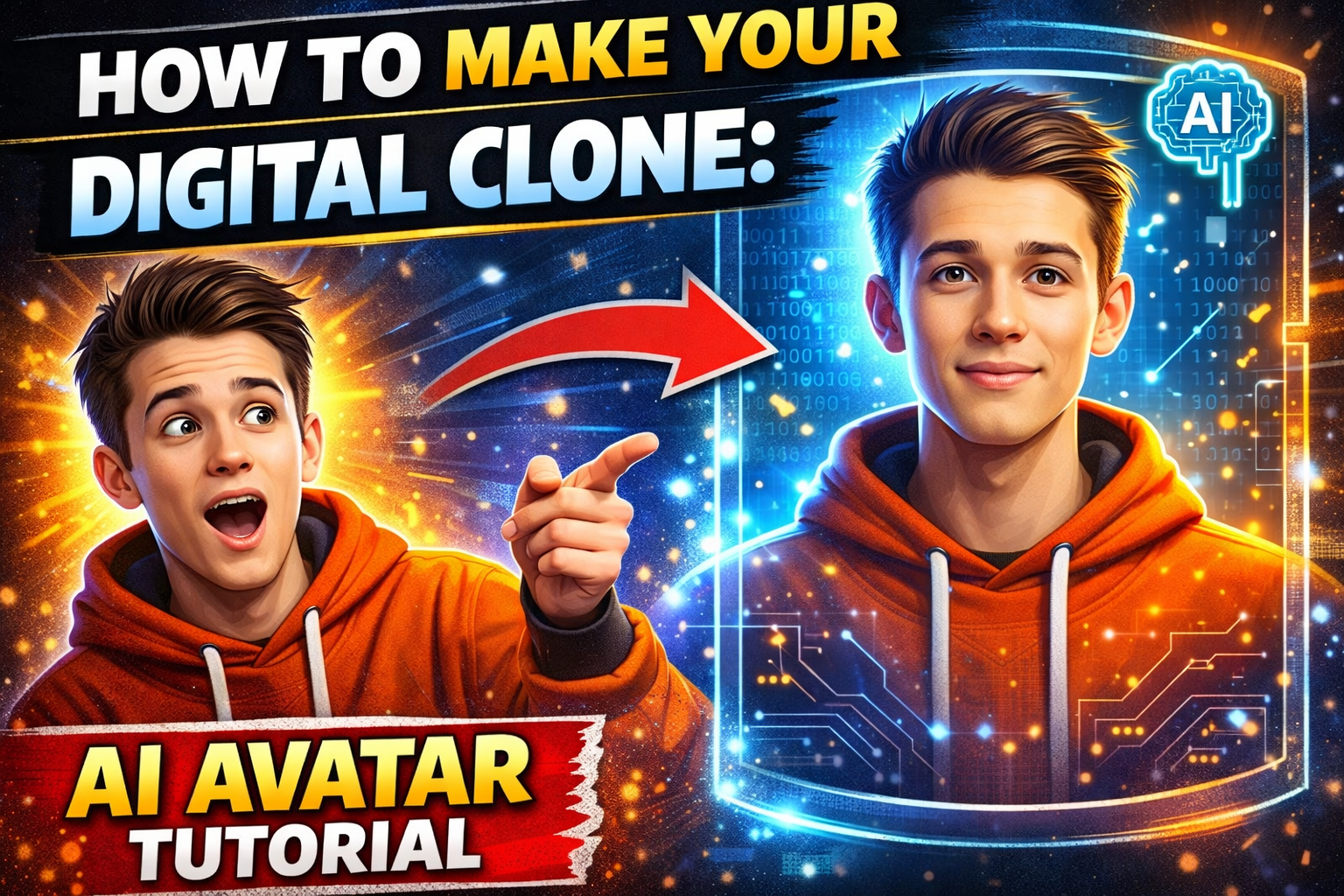
15 Apr How to Make Your Digital Clone: Create a Realistic AI Avatar That Speaks for You
Imagine this. You wake up. You have a hundred emails to answer, three client calls, a webinar to record, and a dozen social media posts to create. Your day is over before it starts.
Now imagine your digital clone handling all of it. A version of you that looks like you, sounds like you, and speaks your words—while you sleep, work on important projects, or simply take a break.
This isn’t science fiction. In 2026, creating a realistic digital avatar is not only possible—it’s surprisingly easy and affordable.
Two tools lead the way: ElevenLabs for your voice clone and HeyGen for your video clone. Combine them, and you have a digital twin that can create professional-looking reels, presentations, and even client updates.
Let me show you exactly how to build yours—step by step, no technical expertise required.
What Is a Digital Clone? (Simple Explanation)
A digital clone is an AI-powered avatar that looks and sounds like you. It’s not a cartoon. It’s not a generic robot. It’s a realistic video of you—your face, your expressions, your voice—saying words you type.
Think of it as your virtual spokesperson. You write the script. The avatar speaks it. The result looks so real that people might not even notice it’s AI.
Why would you want one?
- Create content at scale without recording yourself every time
- Repurpose blog posts into videos instantly
- Localize your content into different languages (while still looking like you)
- Save hours of recording, editing, and retakes
- Be present in multiple places at once
Let’s build yours.
The Two Tools You’ll Need
We’re going to use two industry-leading tools. Both are designed for non-technical users.
ElevenLabs (Voice Clone): Creates a perfect digital copy of your voice. You speak a few sentences. It learns your tone, pitch, accent, and speech patterns. Then it can say anything you type—in your voice.
HeyGen (Video Clone): Creates a realistic video avatar of your face. You upload a short video of yourself talking. It learns your facial movements, expressions, and mannerisms. Then it can speak any script you provide—with your face.
Together, they create a complete digital clone.
Let’s go step by step.
Step 1: Record Your Source Material (The Foundation)
The quality of your clone depends entirely on the quality of your source material. Garbage in, garbage out. Take this seriously.
For ElevenLabs Voice Clone:
You’ll need a clean audio recording of your voice. 10-30 minutes is ideal. Longer is better. Here’s what matters:
- Quiet environment: No background noise. No fans. No traffic. No echo.
- Good microphone: Your phone’s mic works in a quiet room. A cheap USB mic is better. ₹1000-2000 is enough.
- Consistent distance: Stay the same distance from the mic throughout.
- Natural speech: Don’t read like a robot. Speak naturally. Use different emotions. Vary your pace.
- What to say: Read a book passage, a blog post, or simply talk about your day. Variety matters—include different sounds, pauses, and inflections.
For HeyGen Video Clone:
You’ll need a short video of your face. 2-5 minutes is enough. Here’s what matters:
- Good lighting: Natural light from a window works. Better: a ring light or softbox. Face should be evenly lit, no harsh shadows.
- Look at the camera: Speak directly into the lens. Not at the screen. Not at your notes. The camera is your audience.
- Plain background: A solid wall is best. Avoid clutter, patterns, or moving objects.
- Neutral expression but natural movement: Don’t freeze your face. Blink naturally. Nod occasionally. Move your hands if that’s how you talk.
- What to say: Speak for 2-5 minutes about anything. Introduce yourself. Describe your business. Tell a story. The AI learns from your facial movements during speech.
Pro tip: Record both the audio and video at the same time. A single recording session can serve both tools. Your phone’s front camera in a well-lit room is perfectly fine to start.
Step 2: Create Your Voice Clone with ElevenLabs
ElevenLabs is the industry leader for voice synthesis. Their technology is scary-good.
Step 2.1: Sign up for ElevenLabs
Go to elevenlabs.io. Create a free account. The free tier gives you 10,000 characters per month (about 10-15 minutes of audio). Enough to test. Upgrade to Creator or Pro for more.
Step 2.2: Navigate to Voice Lab
Click on “Voice Lab” in the sidebar. Then click “Add new voice.” Choose “Instant Voice Clone.”
Step 2.3: Upload your audio
Upload your clean audio recording (MP3 or WAV). The system will analyze it. This takes 5-10 minutes.
Step 2.4: Test and refine
Type a test sentence: “Hello, this is my digital voice. It sounds just like me.” Click generate. Listen carefully. Does it sound like you? If not, try a different audio sample. Better source = better clone.
Step 2.5: Adjust settings
ElevenLabs allows you to adjust stability and similarity. Higher stability = more consistent but less expressive. Lower stability = more natural variation but potential for odd sounds. Start with default settings. Adjust based on your test results.
Pro tip: For the most natural results, use longer audio samples (30+ minutes) with varied emotions and speaking styles.
Step 3: Create Your Video Clone with HeyGen
HeyGen is the leading platform for AI video avatars. It’s what powers many of the realistic spokesperson videos you see online.
Step 3.1: Sign up for HeyGen
Go to heygen.com. Create an account. The free tier gives you 1 minute of video generation. Enough to test. Paid plans start around $29/month.
Step 3.2: Create an Instant Avatar
Click on “Avatar” in the sidebar. Choose “Instant Avatar.” You’ll be guided through the recording process.
Step 3.3: Record or upload your video
You can record directly in your browser or upload a pre-recorded file. Follow the guidelines: good lighting, look at camera, plain background, 2-5 minutes of natural speech.
Step 3.4: Wait for processing
HeyGen processes your video. This takes 30 minutes to a few hours depending on queue length. You’ll get an email when it’s ready.
Step 3.5: Test your avatar
Once processed, go to “Create Video.” Select your Instant Avatar. Type a test script. Click generate. Watch your digital twin come to life.
Pro tip: If the avatar looks stiff, your source video was too stiff. Record a new one where you’re more animated. Natural movements = natural avatar.
Step 4: Merging Voice and Video (The Magic Step)
Now you have two separate clones: a voice clone that sounds like you and a video clone that looks like you. But they’re separate. To create a truly realistic reel, you need them to work together.
Here’s where it gets exciting.
Option 1: Use HeyGen’s Native Voice (Easiest)
HeyGen has its own text-to-speech voices. They’re good but not as good as ElevenLabs. For most use cases, HeyGen’s built-in voices are perfectly fine. Choose a voice close to yours or use their premium voices.
When to use this: Quick content, social media reels, internal communications. Good enough for most needs.
Option 2: Generate Audio in ElevenLabs, Sync in HeyGen (Best Quality)
This gives you the best of both worlds: ElevenLabs’ superior voice quality with HeyGen’s realistic video avatar.
Step-by-step:
1. Write your script in ElevenLabs. Generate the audio using your voice clone. Download as MP3.
2. Go to HeyGen. Create a new video. Select your Instant Avatar.
3. Upload your ElevenLabs audio file as the voice track.
4. HeyGen will automatically sync your avatar’s lip movements to the uploaded audio. This is the magic part.
5. Generate the video. Watch your avatar speak perfectly in your cloned voice.
Option 3: Third-Party Syncing Tools (Advanced)
For professional-grade production, tools like Sync Labs or Adobe Character Animator can give you even finer control. But for 99% of users, Option 2 is more than enough.
The result? A video of “you” saying anything you type, in your voice, with your face, your expressions, your mannerisms. It’s surreal the first time you see it.
Step 5: Creating Your First AI Avatar Reel
Now let’s put it all together into a real, publishable reel.
Step 5.1: Write your script
Keep it conversational. Write like you speak. Short sentences. Natural pauses. Add notes for emphasis: “This is IMPORTANT. Here’s a tip…”
Length: For reels, 30-60 seconds is ideal. That’s 75-150 words.
Step 5.2: Generate voiceover in ElevenLabs
Paste your script. Generate using your voice clone. Listen. Adjust if needed. Add pauses or emphasis using SSML tags if you want advanced control.
Download the MP3.
Step 5.3: Generate video in HeyGen
Create new video. Select your Instant Avatar. Upload the MP3. Let HeyGen sync. Preview. Make sure the lip movements match the audio.
Add background music (low volume so it doesn’t compete with your voice). Add captions (essential for social media—most people watch without sound).
Generate. Download the final video.
Step 5.4: Edit (Optional)
Use CapCut or InShot to add intros, outros, transitions, or effects. But HeyGen’s output is often ready to publish as-is.
Step 5.5: Publish
Upload to Instagram Reels, YouTube Shorts, LinkedIn, or wherever your audience is. Watch the engagement roll in.
Pro tip: Always add a caption or disclaimer: “This video was created using AI. But the message is mine.” Transparency builds trust.
Real-World Applications for Your Digital Clone
Once you have your clone, here’s how to use it.
Social Media Content: Turn blog posts into video reels in minutes. One blog = 5-10 reels. Consistent content without constant recording.
Client Updates: Send personalized video updates without recording each one. Type the script. Generate. Send.
Course Creation: Create video lessons without being on camera for hours. Perfect for intro modules, explainers, and routine content.
Localization: ElevenLabs supports 29+ languages. Your avatar can speak Hindi, Spanish, French, or Japanese—still looking like you.
Sales Outreach: Create personalized prospecting videos. Scalable. Personal. Effective.
Customer Support: Answer common questions with video responses. Faster than recording each answer.
The possibilities are endless. Your clone never gets tired. Never needs retakes. Never has a bad hair day.
Ethical Considerations (Read This)
With great power comes great responsibility. Digital clones can be misused. Here are the rules.
Always disclose. If you’re using AI to represent you, say so. “This video was created using AI” is not a weakness—it’s transparency.
Don’t impersonate others. Only create clones of yourself or people who have given explicit written permission.
Don’t create misleading content. Don’t put words in your clone’s mouth that you wouldn’t say yourself.
Secure your clone. Your voice and face are biometric data. Protect them. Don’t share access to your ElevenLabs or HeyGen accounts.
Follow platform policies. Some platforms have rules about AI-generated content. Check before posting.
Used ethically, digital clones are tools for efficiency and creativity. Used unethically, they’re weapons of deception. Choose wisely.
Troubleshooting Common Issues
Problem: My avatar’s mouth doesn’t match the audio.
Solution: In HeyGen, try the “Lip Sync” adjustment. If still off, your source video may have been too short or low quality. Re-record with better lighting and clearer speech.
Problem: The voice clone doesn’t sound exactly like me.
Solution: Provide more audio. 10 minutes is minimum. 30-60 minutes is better. Include varied emotions, speaking speeds, and inflections.
Problem: The avatar looks stiff or robotic.
Solution: Your source video was too stiff. Re-record. Be more animated. Smile. Nod. Use hand gestures. The AI learns from what you give it.
Problem: The video looks fake.
Solution: Add subtle background music. Add captions. Keep videos short (under 60 seconds). Longer videos reveal more imperfections.
Cost Breakdown
Here’s what you can expect to spend.
ElevenLabs: Free tier (10,000 characters/month ≈ 10-15 minutes). Creator tier: $5/month (30,000 characters). Pro tier: $22/month (100,000 characters).
HeyGen: Free tier (1 minute video). Creator tier: $29/month (10 minutes). Team tier: $89/month (30 minutes).
Total to start: $0 (free tiers).
For serious creators: $34-51/month for both tools.
One-time costs: USB microphone (₹1000-2000) optional. Ring light (₹1000-2000) optional.
That’s remarkably affordable for a tool that can save you dozens of hours per month.
Conclusion: Your Clone Awaits
Creating a digital clone used to require a Hollywood budget and a team of engineers. Now it takes an afternoon, a quiet room, and a few free tools.
ElevenLabs captures your voice. HeyGen captures your face. Together, they create a version of you that works while you rest.
Start today. Record your source material. Create your clones. Generate your first reel. Experiment. Learn. Improve.
Your digital twin is waiting to help you scale your presence, your content, and your impact—without burning out.
The future of content creation is here. And it looks just like you.
Frequently Asked Questions (FAQs)
1. Is it legal to create a digital clone of myself?
Yes. You own your likeness and voice. You can create a digital clone of yourself. However, you cannot create clones of other people without their explicit written permission. Some jurisdictions have specific laws about AI replicas. Check local regulations if you’re concerned.
2. How realistic do the avatars look?
With good source material (lighting, camera quality, natural movement), HeyGen avatars are remarkably realistic. Most viewers won’t notice it’s AI, especially on social media where videos are short and viewed on phones. However, close inspection reveals subtle imperfections—slightly stiff expressions, occasional glitches. For most marketing use cases, it’s more than good enough.
3. Can I use my digital clone for commercial purposes?
Yes. Both ElevenLabs and HeyGen allow commercial use of generated content with paid plans. Read their terms of service. Free tiers may have restrictions. Upgrade if you’re using it for business.
4. How long does it take to create a clone?
Voice clone: 10 minutes to record + 5-10 minutes processing = ~20 minutes. Video clone: 5 minutes to record + 30 minutes to 2 hours processing = ~1-2 hours. Total: You can have a working clone in an afternoon.
5. Will this replace human creators?
No. Digital clones are tools, not replacements. They handle repetitive, routine content—allowing humans to focus on strategy, creativity, and genuine connection. The best content still comes from real human experience, emotion, and insight. Use your clone to scale your presence, not to replace your humanity.
No Comments