Let me ask you something. How many "automations" have you set up that you barely use? You connected Zapier to this, set up a webhook for that, and created a beautiful automated sequence... that you checked once and never touched again.
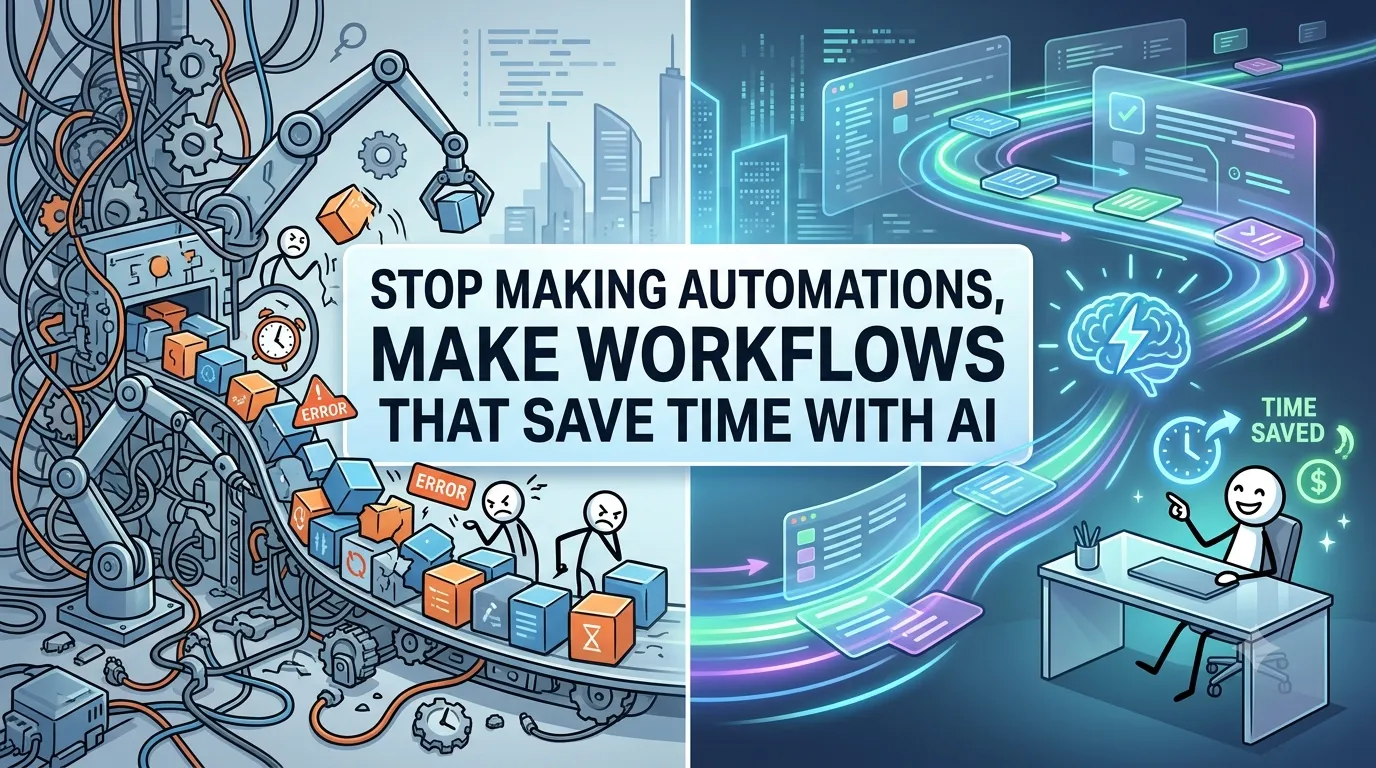
If you're like most people, the answer is: "Too many." You've been told that automation is the key to productivity. But here's the truth: Automation without workflow design is just busywork with a fancy name.
In this guide, I'll show you the difference between automations and workflows — and how to build AI-powered workflows that actually save time. Whether you're a digital marketing professional, a business owner, or a student taking a digital marketing course, this is your blueprint for working smarter, not harder.
Let's dive in.
1. The Automation Trap
Here's the problem with most "automations." They automate a single task but don't consider the bigger picture. You automate one email. You automate one data entry. But the process around it is still broken.
1.1 Why Single-Task Automation Fails
- It's isolated: The task is automated, but the workflow around it isn't
- It's fragile: When one thing changes, the automation breaks
- It's invisible: You don't see the full process, so you can't optimize it
- It's reactive: It fixes one problem but doesn't prevent others
2. Automation vs. Workflow: The Critical Difference
Here's the distinction that changes everything.
2.1 Automation
A single task that runs without human intervention. It's a piece of a puzzle, not the whole picture.
Example: Automatically sending a welcome email when someone signs up.
2.2 Workflow
An entire process that moves work from start to finish. It includes tasks, decisions, handoffs, and automation points. It's the whole puzzle.
Example: The complete process of turning a new lead into a paying client — from signup to onboarding to follow-up.
The key insight: Automation is a tool. Workflow is the system that uses it. You can't build a great system with just tools.
3. Why AI Makes Workflows More Powerful Than Ever
AI isn't just for single tasks anymore. AI tools can now power entire workflows — making decisions, routing information, and learning from results.
3.1 AI as the Workflow Engine
AI can act as the brain of your workflow. It can:
- Route tasks to the right person or system
- Make decisions based on context and rules
- Learn from outcomes and improve over time
- Adapt to changes without breaking
3.2 The "Agentic Workflow" Concept
This is the next level. An agentic workflow is one where AI agents perform tasks and also make decisions about the workflow itself. It's self-optimizing and adaptive.
4. The Workflow Design Framework
Here's how to design workflows that actually save time.
Step 1: Map the Current Process
Before you can improve a process, you need to understand it. Map every step from start to finish. Include:
- Who does each task?
- What tools are used?
- Where does work get stuck?
- What decisions need to be made?
Step 2: Identify the Bottlenecks
Look for bottlenecks — places where work slows down or stops. These are your biggest opportunities for improvement.
- Manual data entry
- Waiting for approvals
- Information handoffs
- Repetitive decisions
Step 3: Design the Ideal Workflow
Design a new workflow that eliminates bottlenecks and uses AI where it makes sense.
- What can AI do?
- What must a human do?
- What decisions can be automated?
- What information needs to flow where?
Step 4: Implement with AI Tools
Choose the right AI tools for each part of the workflow. This might include:
- Large Language Models: Content generation, summarization, analysis
- Automation Platforms: Connecting systems and triggering actions
- Specialized AI: Image generation, data analysis, customer support
Step 5: Monitor, Measure, Iterate
A workflow is never finished. Monitor performance, measure results, and continuously improve.
5. Real-World Workflow Examples
Here are examples of workflows that save time with AI.
5.1 Content Creation Workflow
Old way: Brainstorm ideas, research, outline, write, edit, design, publish. This took days.
New workflow:
- AI: Generate 50 topic ideas based on audience research
- AI: Research and create a detailed outline with data points
- AI: Generate a first draft
- Human: Edit, personalize, and add unique insights
- AI: Generate visuals and social media snippets
- Human: Final review and publish
Time saved: 70% reduction in content creation time.
5.2 Lead Management Workflow
Old way: Manually track leads, send emails, follow up, qualify leads. This was chaotic and inconsistent.
New workflow:
- AI: Capture and enrich lead data automatically
- AI: Score leads based on behavior and firmographics
- AI: Generate personalized outreach messages
- AI: Manage follow-up sequences
- Human: Handle high-value conversations and closures
Time saved: 80% reduction in lead management time.
5.3 Customer Support Workflow
Old way: Respond to every support ticket manually. This was time-consuming and inconsistent.
New workflow:
- AI: Categorize and route incoming tickets
- AI: Respond to common questions with personalized answers
- AI: Escalate complex issues to humans
- Human: Handle complex issues and provide expertise
- AI: Analyze support data for insights and improvements
Time saved: 60% reduction in support response time.
6. How to Build an AI-Powered Workflow
Here's a step-by-step process for building your first AI-powered workflow.
Step 1: Pick One Process to Improve
Don't try to fix everything at once. Pick one process that's painful and costly. Start small.
Step 2: Map It Out
Draw a flowchart of the current process. Include every step, decision, and handoff. Identify the bottlenecks.
Step 3: Design the New Workflow
Design a new workflow that uses AI where it makes sense. What can AI do? What must a human do?
Step 4: Choose the Right Tools
Select AI tools for each part of the workflow. Don't choose tools and then adapt the workflow — choose the workflow first.
Step 5: Implement and Test
Implement the workflow with a small group. Test, gather feedback, and refine.
Step 6: Measure and Optimize
Measure the results. Track time saved, quality improvements, and ROI. Optimize based on the data.
7. Mistakes to Avoid
Here are common mistakes when building workflows.
7.1 Mistake #1: Automating Without Designing
You automate a broken process. The result is faster brokenness. Design first, automate second.
7.2 Mistake #2: Over-Automating
Not everything should be automated. Some tasks require human judgment, creativity, or relationship-building. Don't automate those.
7.3 Mistake #3: Ignoring the Handoffs
The most common place for workflow failure is the handoff between steps. Design handoffs carefully.
7.4 Mistake #4: Not Measuring
If you don't measure, you can't improve. Track the metrics that matter.
8. Conclusion: From Automations to Workflows
Automation is a tool. Workflows are the systems that use them. Stop making isolated automations. Start designing workflows that actually save time.
But here's the good news: AI makes workflow design more powerful than ever. AI can act as the brain of your workflow — routing tasks, making decisions, and learning from outcomes. When you combine AI with good workflow design, you get systems that are efficient, adaptive, and scalable.
The choice is yours. Keep building isolated automations that don't connect, or start designing workflows that transform how you work.
Join the best Digital Marketing Course to master AI systems, workflows, and futuristic growth strategies.
Frequently Asked Questions (5 Unique FAQs)
❓ 1. What's the difference between a workflow and a process?
A process is the big picture. A workflow is a specific implementation of a process. Think of it this way: a process is the recipe; a workflow is how you actually cook it with specific tools and steps.
❓ 2. How many AI tools should I use in a workflow?
As few as necessary. The goal is simplicity and reliability. Each tool adds complexity. Use the minimum number of tools that can do the job effectively.
❓ 3. How do I know if a workflow is saving time?
Measure before and after. Track time spent on the process, error rates, and overall throughput. Compare the metrics. If you're not measuring, you're guessing.
❓ 4. Can I build workflows without coding?
Yes. Platforms like Make, Zapier, and n8n allow you to build complex workflows without coding. Many AI tools also have no-code interfaces for building workflows.
❓ 5. What's the biggest mistake people make with AI workflows?
Using AI to replicate a bad process. AI can make a bad process faster, but it can't fix a fundamentally flawed process. Design the right process first, then use AI to optimize it.