Imagine this. You ask ChatGPT: "What's the status of Project X?"
Today, it can't answer. It doesn't have access to your project files, your Slack messages, or your CRM.
Now imagine: You ask the same question. AI checks your project management tool, reads the latest updates, scans your email for client feedback, and gives you a complete answer. Without you copy-pasting anything.
That future is here. It's called MCP.
What Is MCP? (The Simple Explanation)
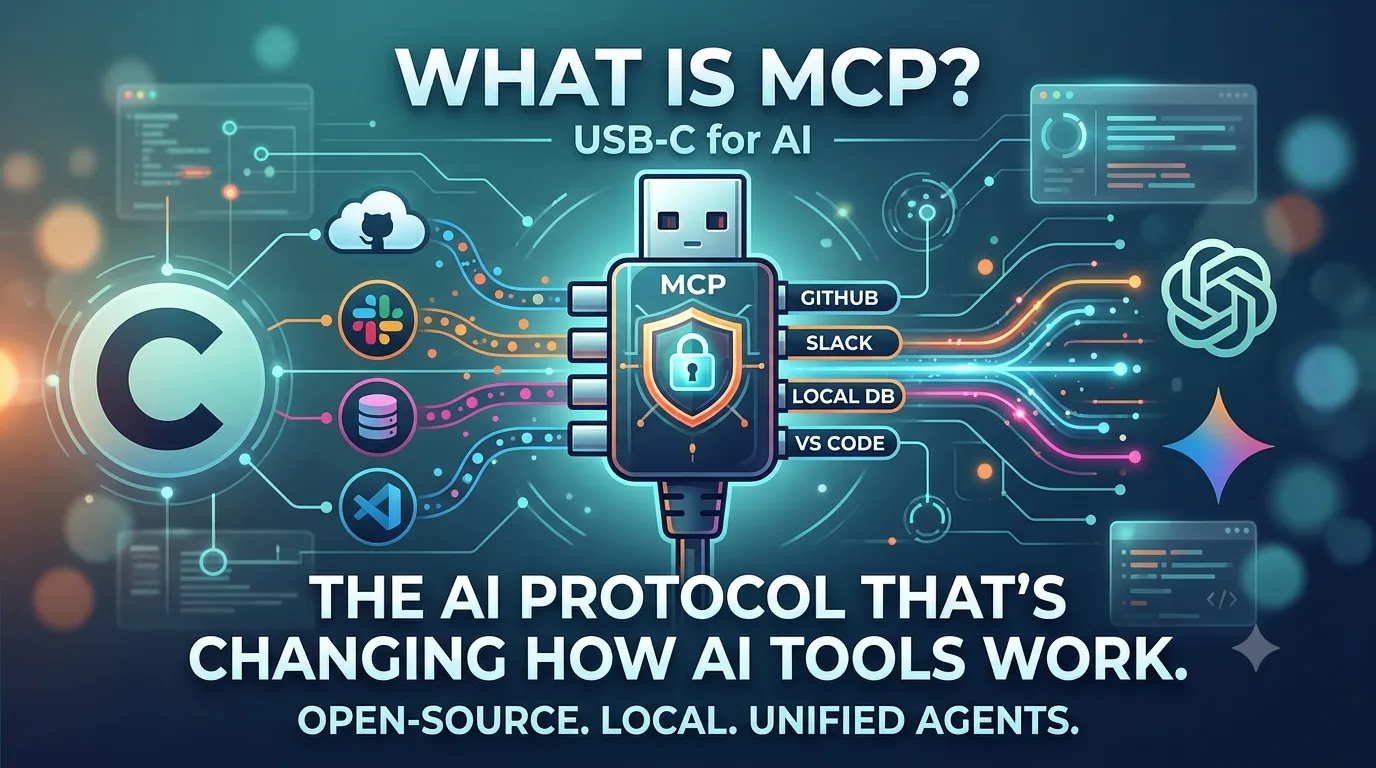
MCP stands for Model Context Protocol. It's an open standard created by Anthropic (the company behind Claude) that allows AI assistants to connect directly to your data sources—databases, CRMs, email, Slack, GitHub, Google Drive, and more .
Think of MCP as a universal USB port for AI. Before MCP, every AI tool had to build custom connections to every data source. Want ChatGPT to read your Google Docs? Google had to build a ChatGPT integration. Want Claude to query your database? Someone had to write custom code.
MCP standardizes this. One protocol. Any AI tool. Any data source. AI assistants can finally access the information they need without you copying, pasting, or uploading files .
Why MCP Matters (The Problem It Solves)
Today, AI tools are powerful but isolated. They live in a bubble. They only know what you tell them in the current conversation.
To give an AI useful context, you have to:
- Copy-paste text from documents
- Upload PDFs, CSVs, and images
- Manually describe your situation
- Re-explain your preferences every single time
This is exhausting. It's also a massive limitation. AI could be so much more useful if it could just... access your existing data.
MCP solves this. It's a open standard that lets AI assistants connect to your data sources securely and contextually .
How MCP Works (The Technical Bit, Made Simple)
MCP has three main components .
MCP Hosts: AI applications that want to access data. Claude Desktop, for example. Or an AI-powered IDE. These are the "clients" that request information.
MCP Servers: Lightweight programs that expose specific data sources. A server for your Google Drive. A server for your Slack workspace. A server for your company database. Each server knows how to talk to one data source.
MCP Protocol: The common language that hosts and servers use to communicate. It's like HTTP for the web, but for AI context.
When you ask Claude "What's the latest design file?" Claude (the MCP host) sends a request via MCP to the Google Drive server. The server fetches the file and sends it back. Claude reads it and answers your question .
You never left the chat. You never copy-pasted. It just worked.
What MCP Does for AI Tools Today (Real Examples)
MCP isn't theoretical. It's live and growing. Here's what you can do right now.
Example 1: Connect Claude to Google Drive
With the MCP Google Drive server, Claude can read your documents, spreadsheets, and presentations. Ask: "Summarize the Q3 marketing report from my Drive." Claude finds it, reads it, and gives you a summary .
Example 2: Connect Claude to Slack
Claude can read your Slack channels. "What's the team saying about the new product launch?" Claude scans Slack and gives you a summary. "Are there any unanswered questions from clients in the #support channel?" Claude finds them .
Example 3: Connect Claude to GitHub
For developers: "Show me all the pull requests that have been open for more than 7 days." Claude can read your repo and list them .
Example 4: Connect Claude to a Database
Marketers: "Pull the last 50 customer support tickets and find the top 3 complaint themes." Claude can query your database and analyze results .
Example 5: Connect Claude to Klaviyo (Email Marketing)
This one is live. "Audit my active flows. Flag any with open rates under 20% and write me a fix-it list." Claude pulls data, analyzes, and outputs a structured document with recommendations .
These are not hypotheticals. They are working today.
The MCP Ecosystem: Servers You Can Use Now
Anthropic maintains an open-source GitHub repository of official MCP servers .
Official servers (ready to use): Google Drive, Slack, GitHub, PostgreSQL, SQLite, Brave Search, Fetch (web content retrieval), Memory (persistent knowledge across conversations), and Filesystem (access your local files) .
Community developers have also built MCP servers for popular tools like Discord, Spotify, Linear, and more .
You can even build your own MCP server. The protocol is open and well-documented .
Why This Changes Everything for AI Users
MCP transforms AI from a "chatbot" into an "agent."
Before MCP: AI tools were context-blind. They only knew what you typed. Every conversation started from zero .
After MCP: AI tools are context-aware. They can access your actual work—your documents, messages, code, and data. They remember between conversations (via the Memory server). They can act on your behalf across multiple systems .
This is the foundation of AI agents that can actually work for you—not just answer questions .
How to Get Started with MCP Today
Step 1: Get Claude Desktop. Currently, Claude Desktop has the most mature MCP implementation. Download the free Claude app for Mac or Windows .
Step 2: Configure an MCP server. Follow the setup guides in the official MCP GitHub repository. Start simple—maybe the Filesystem server to let Claude read your local documents .
Step 3: Start asking. Once configured, just ask Claude to access your data. "Read my project notes from Desktop/ProjectX and summarize what's missing."
The setup requires some basic JSON configuration, but it's well-documented. For less technical users, expect pre-configured "connectors" (like the Klaviyo integration) to become common .
What About ChatGPT and Gemini?
MCP is an open standard. Any AI tool can implement it. Anthropic open-sourced MCP specifically to avoid vendor lock-in .
OpenAI has its own developer platform for connecting ChatGPT to external tools, but it's not based on MCP .
Google Gemini has strong integration with Google Workspace (Drive, Gmail, Docs), but these are proprietary Google connections, not open standard .
The long-term trend is toward open standards like MCP. No single company wants to build custom integrations for every data source. MCP benefits everyone—AI companies, data source owners, and end users .
Real Impact on Marketers and Freelancers
If you're a digital marketer, MCP changes your daily workflow dramatically.
Instead of: Exporting CSV from Klaviyo, opening in Excel, analyzing manually, creating a report, pasting into ChatGPT for suggestions, rewriting the report.
With MCP: "Claude, connect to my Klaviyo. Analyze the last 30 days of email performance. Flag any flows under 20% open rate. Write me a prioritized fix list." Claude does all of it.
Instead of: Searching through Slack for client feedback, noting down requests, creating a task list, prioritizing manually.
With MCP: "Claude, scan my Slack #client-feedback channel. List all feature requests from this month. Group them by theme. Put them in priority order based on frequency." Done .
Limitations to Know (Honest Reality Check)
MCP is powerful but not magic .
Setup requires some technical comfort. Configuring MCP servers involves editing JSON files. Not difficult, but not zero-effort. Expect this to get easier as tools build one-click connectors .
Security is your responsibility. MCP servers run locally on your machine or on your infrastructure. You control what data they access. Keep your API keys secure .
Not all tools have MCP servers yet. The ecosystem is growing quickly, but you may need to build custom servers for proprietary internal tools .
The Future of MCP
In 2026, MCP is transitioning from "bleeding edge" to "standard infrastructure." Expect to see:
✅ One-click MCP connectors inside AI tools (no JSON configuration)
✅ MCP servers for every major SaaS tool (Salesforce, HubSpot, Asana, Notion, etc.)
✅ AI agents that coordinate across multiple MCP servers to complete complex tasks
✅ Local-first AI: Your data never leaves your machine; only answers come back
MCP is the bridge between isolated AI chatbots and true AI agents that work alongside you .
Conclusion: MCP Is the Missing Layer for AI Agents
AI tools are brilliant at generating text, summarizing documents, and writing code. But they've been blind to your actual work context.
MCP gives them eyes.
It's not flashy. It's not another AI model with a cute name. It's infrastructure. And infrastructure changes everything.
The difference between "AI as a chatbot" and "AI as a coworker" is context. MCP provides the context. It's the protocol that finally makes AI agents actually useful.
Frequently Asked Questions (FAQs)
1. Is MCP only for Claude?
No. MCP is an open standard. Any AI tool can implement it. Currently, Claude Desktop has the most mature implementation, but MCP is designed to work with any AI assistant .
2. Do I need to know how to code to use MCP?
For the most basic setup (configuring pre-built servers), you need to be comfortable editing a JSON configuration file—following instructions, not writing code from scratch. Expect one-click connectors to become common as the ecosystem matures .
3. Is my data safe with MCP?
MCP servers run locally on your machine or on your infrastructure. Your data is not sent to Anthropic or any third party. You control access. Keep your API keys secure .
4. Can I use MCP with ChatGPT or Gemini?
Not directly. OpenAI and Google have their own approaches to external data access. MCP is an open standard that any AI tool could adopt, but neither ChatGPT nor Gemini supports it today .
5. What's the difference between MCP and an API?
An API is a way for one piece of software to talk to another. MCP is a standardized protocol for AI assistants to discover and use APIs. Think of it as "API discovery for AI." MCP servers expose their capabilities, and AI can request exactly what it needs .