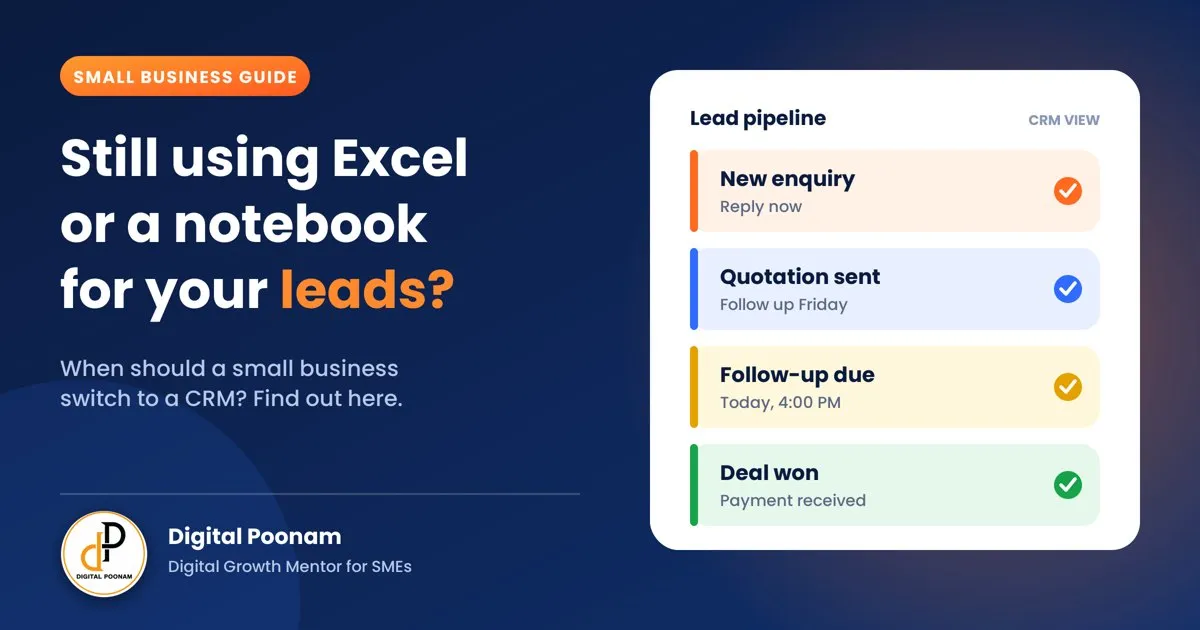
Introduction: Excel Worked Fine, Until It Didn't
Almost every small business starts the same way. A notebook for orders, an Excel sheet for customers and a lot of WhatsApp chats for everything else. And honestly, that is a perfectly good way to begin.
But as your business grows, something quietly goes wrong. A lead who asked for a quotation is forgotten. A customer is called twice by two different people. You cannot remember who said "call me next week". And one day you realize you lost a sale, not because your product was bad, but because nobody followed up.
This is the moment many business owners ask: "Do I need a CRM?" In this guide, I will answer that honestly, including when you should not switch yet.
What is a CRM? (In Simple Words)
CRM stands for Customer Relationship Management. In simple words, it is a digital register that keeps all your leads and customers in one place and tells you what to do next with each one.
Think of it as a smart notebook. It does not only store names and phone numbers. It remembers the last conversation, reminds you when to follow up, shows who is ready to buy, and tells you how your sales are doing.
When Excel or a Notebook is Enough
A CRM is not always the answer. Excel or a notebook is perfectly fine if:
- You are just starting and have only a handful of active leads or customers.
- You are the only person who talks to customers.
- Your sales are simple, with one conversation and one payment.
- You rarely need to follow up, because customers come and buy immediately.
If this describes you, do not rush. Keep your Excel sheet neat and revisit this decision in a few months.
7 Signs It Is Time to Switch to a CRM
If you see two or three of these in your business, Excel is already costing you money.
- Leads are slipping through the cracks. You find out about a pending follow-up days late, or you forget it completely.
- More than one person handles customers. Your team keeps separate sheets, and nobody knows what the other has promised.
- Customer details are everywhere. A phone number is in your contacts, the quotation is in WhatsApp and the notes are in a notebook.
- You do not know where your leads come from. You cannot say whether Instagram, Google, referrals or ads bring the best customers.
- You spend more time updating sheets than selling. Copying, pasting and searching eat up your day.
- You cannot answer simple questions quickly. How many leads came this month? How many became customers? You have to count by hand.
- Quotations and replies are delayed. Customers wait, and while they wait, they talk to your competitor.

Excel / Notebook vs CRM: A Clear Comparison
| What you need | Excel / Notebook | CRM |
|---|---|---|
| Follow-up reminders | You must remember, or set phone alarms | Automatic reminders for every lead |
| Customer history | Spread across Excel, WhatsApp, calls and notebooks | Every call, message and quotation in one profile |
| Team access | One person's file; sharing creates confusion and copies | Whole team sees the same, updated information |
| Lead source tracking | Usually missing or filled in by memory | Know which source brings the best leads |
| Reports | Counted manually, takes hours | Leads, follow-ups and sales in a few clicks |
| Automation | None, everything is manual | Auto-replies, assignments and reminders |
| Cost | Free or very low | Paid, but many options are built for small businesses |
| Setup time | Start today | A few days to set up properly |
The biggest difference is not features. It is this: Excel stores information, but a CRM helps you act on it. A sheet waits for you to open it. A CRM tells you who to call today.
The Hidden Cost of Staying on Excel
Excel looks free, but it has a cost that never appears in your accounts. Imagine a shop owner who gets 5 enquiries every day. Each enquiry needs a reply, a quotation and two or three follow-ups. In a notebook, a few of these will always be missed. Nobody notices, because a lost lead leaves no record.
Over a month, those missed follow-ups can add up to real sales you never knew you lost. That invisible loss is usually much bigger than the monthly fee of a good CRM.
How to Choose the Right CRM for a Small Business
Do not buy the most famous or the most expensive tool. Ask these questions before you decide:
- Is it simple? If your team cannot use it in one week, they will go back to Excel.
- Does it work well on mobile? Most small business owners work from their phone.
- Can it capture leads automatically? From your website, forms, WhatsApp or social media.
- Does it send follow-up reminders? This is the single most valuable feature.
- Can your team use it together? With different roles and access.
- Can you export your data? Your customer data belongs to you.
- Is the price and support right for your size? Check for hidden charges and whether help is available in your language.
How to Switch From Excel to a CRM Without Chaos
- Clean your sheet first. Remove duplicates and fix phone numbers and names. A CRM can only be as good as the data you put in.
- Decide your sales stages. For example: New enquiry, Contacted, Quotation sent, Follow-up, Won, Lost.
- Import your data. Most CRMs let you upload an Excel or CSV file in a few minutes.
- Set follow-up rules. Decide when a lead should be reminded, for example 2 days after a quotation.
- Train your team for one week. Show them the daily routine: open the CRM, check today's follow-ups and update every call.
- Run both for a short time. Keep Excel as a backup for a week or two, then stop using it completely.
Where AI Makes a CRM Even More Useful
Modern CRMs now include AI that can do some of the repetitive work for you. For example, it can ask new leads a few questions and sort them as hot or cold, draft a first reply, remind your team about pending follow-ups and prepare a quotation for your approval.
This is exactly why I built AIBizzPro, a CRM and AI platform for small businesses, so that owners can spend less time on manual follow-ups and more time on customers.
Common Mistakes to Avoid
- Buying a complicated CRM. More features do not mean more sales. Choose simple.
- Importing messy data. Wrong numbers and duplicates make the CRM confusing from day one.
- Not training the team. If your staff does not update it, the CRM is empty.
- Expecting magic. A CRM supports your sales process. It does not create one.
- Waiting too long. The longer you wait, the bigger the mess to clean up.
Quick Check: Are You Ready for a CRM?
- ☐ I have forgotten to follow up with a lead in the last month
- ☐ More than one person speaks to my customers
- ☐ My customer details are in more than one place
- ☐ I do not know which source brings my best leads
- ☐ I cannot quickly say how many leads I got this month
- ☐ I spend a lot of time updating or searching my sheet
- ☐ Customers have waited too long for my quotation or reply
Final Thoughts
Excel and notebooks are a great start, and there is no shame in using them. But the right time to switch is before the leaks become big, not after. A CRM will not fix a weak product, but it will make sure every genuine enquiry gets a reply, a follow-up and a fair chance to become a customer.
Start small. Clean your data, choose a simple tool and use it for 30 days. You will see the difference in your follow-ups, and in your sales.
If you want help choosing or setting up a CRM for your business, get in touch with me or explore AIBizzPro.
FAQs
When should a small business switch from Excel to a CRM?
When you start missing follow-ups, when more than one person handles customers, or when you cannot easily see your leads and sales in one place. Two or three of these signs are enough.
Is a CRM only for big companies?
No. Many CRMs are built for small businesses and are simple and affordable. A small business actually benefits a lot, because every lead matters.
Can I move my Excel data into a CRM?
Yes. Most CRMs allow you to import an Excel or CSV file. Clean your data first, then upload it.
Will my team find a CRM difficult to use?
Not if you choose a simple tool and train them for a week. Start with just the daily follow-up routine.
Do I need a CRM if I only use WhatsApp for business?
If you handle more than a few leads at a time, yes. WhatsApp chats get buried quickly, and a CRM keeps every lead and follow-up organised in one place.
What is the first thing to do before buying a CRM?
Write down your sales steps, from first enquiry to payment. A CRM works best when you already know your process.